IND Club APK 30% Refer Bonus – Play IND Club App | ₹ 109 Bonus Withdraw
Latest
66.28MB
1.0.1
ind-club-apk
12.6M

Description
I’ve brought you an online Yono Game application called IND Club APK. You’ll receive a sign-up bonus of ₹100. The minimum withdrawal amount is ₹100 and the minimum cash addition is ₹20. Once you have ₹100 in your wallet, you can transfer it to your bank account or UPI account.
How to Download IND Club
If you have been searching for the IND Club App, you can find the download link right below this article. Simply download it from there. If you encounter any issues while downloading the app, we have provided step-by-step instructions below: 1. First, click on the green ‘Download’ button shown above.
- Clicking that button will open the official IND Club application website.
- You will then see a ‘Download’ option on that page.
- Click on it to start the download.
- Once you have done this, the IND Club App will be downloaded to your Android device.
After that, you will need to create a new account before you can access the application.
|

How To Register phone Number In IND Club App?
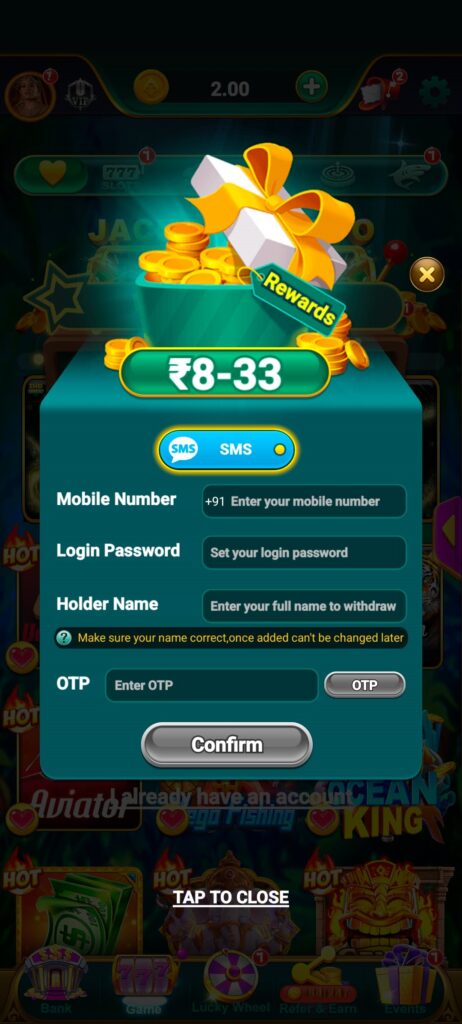
Friends, first of all, download the IND Club App using the link provided above. After downloading, open the app on your mobile by entering your phone number. Upon logging in, you will receive a ₹100 sign-up bonus that you can use to play games. You can also easily withdraw your winnings directly to your bank account. If you encounter any issues during registration, we have provided a detailed explanation that you can refer to.
- First, download the IND Club App using the link provided above.
- Next, open the application on your mobile phone.
- Upon opening it, you will see two options: ‘Guest’ and ‘Login’.
- Do not click on ‘Guest’.
- Click on ‘Login’.
- As soon as you click on ‘Login’, you will be prompted to enter some details.
- First, enter your 10-digit phone number.
- After entering the phone number, click on the ‘OTP’ option located below it.
- Upon clicking ‘OTP’, a 6-digit or 4-digit OTP will be sent to your phone’s message inbox; enter this code in the designated OTP field.
- Once you have completed these steps, your number will be registered with the IND Club App, allowing you to start playing games.
How To Add Cash Money In IND Club App?
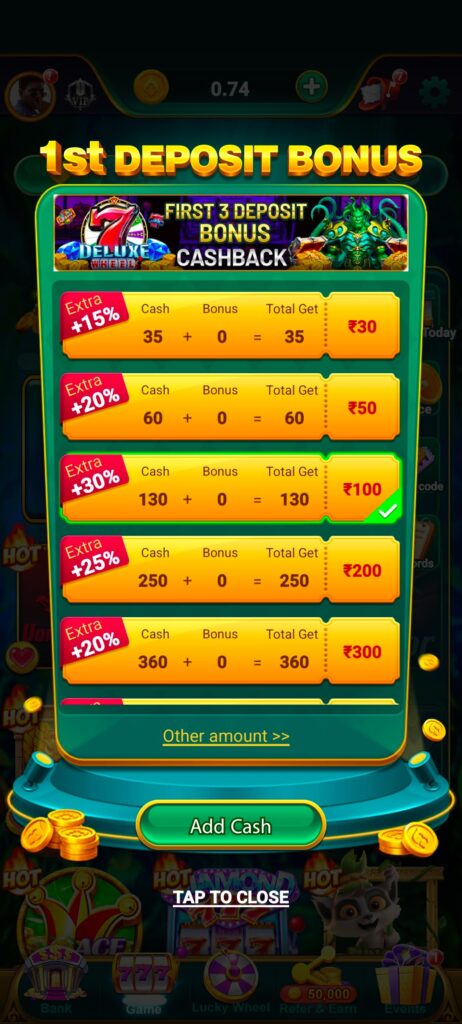
If you are playing games on the INDClub App and happen to lose money, you can add more funds to continue playing. The potential profit depends on the amount you deposit into the game. If you encounter any issues while adding money, we have provided full details below for your reference.
- We assume you have already downloaded the IND Club App using the link provided above.
- You have likely also created a new account using your phone number after downloading the app.
- First, open the IND Club App on your mobile device.
- Inside the application, you will see an “Add Cash” option.
- Click on it; you will then see various options for adding money.
- Select the amount you wish to add, choose from the available payment methods listed below, and complete the transaction to add funds to the IND Club app.
- Once this is done, the funds will be credited to your game account.
- Now, you can comfortably play the game, win a significant amount of money, and transform your life.
How To Refer And Earn Money In IND Club App?
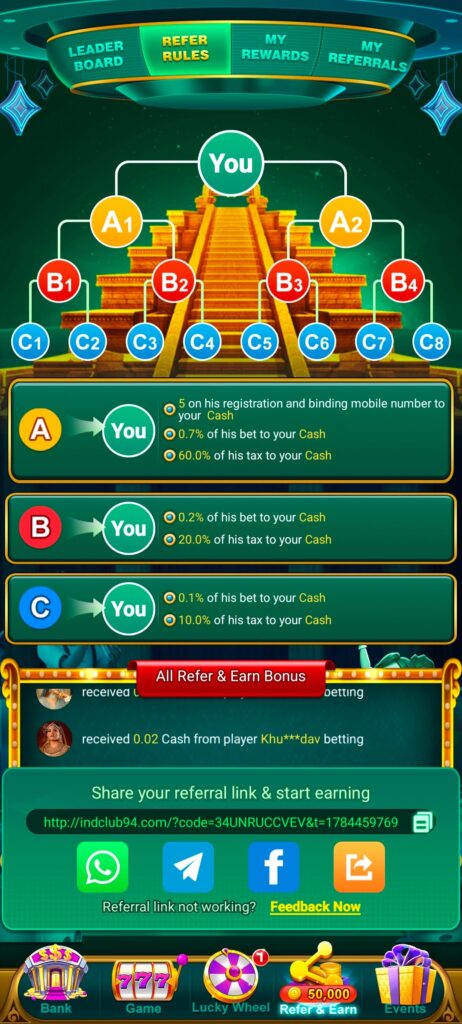
Friends, you can earn money on the IND Club App in two ways. First, you can earn by playing games. Second, you can earn a significant amount of money by sharing the application with your friends or on social media. We have shared it with over 450 people so far and are earning a lot of money